

 EN

how-to-fix-roller-speed-mismatches-during-skin-needling-work, how-to-fix-roller-speed-mismatches-during-skin-needling-work, /blog
EN
When roller speed does not match the selected setting during skin needling work, pause treatment and identify whether the cause is mechanical, electrical, or related to handling. A microneedling machine should move consistently under the conditions specified by its operating instructions. Correcting the mismatch methodically helps protect treatment consistency and equipment integrity.
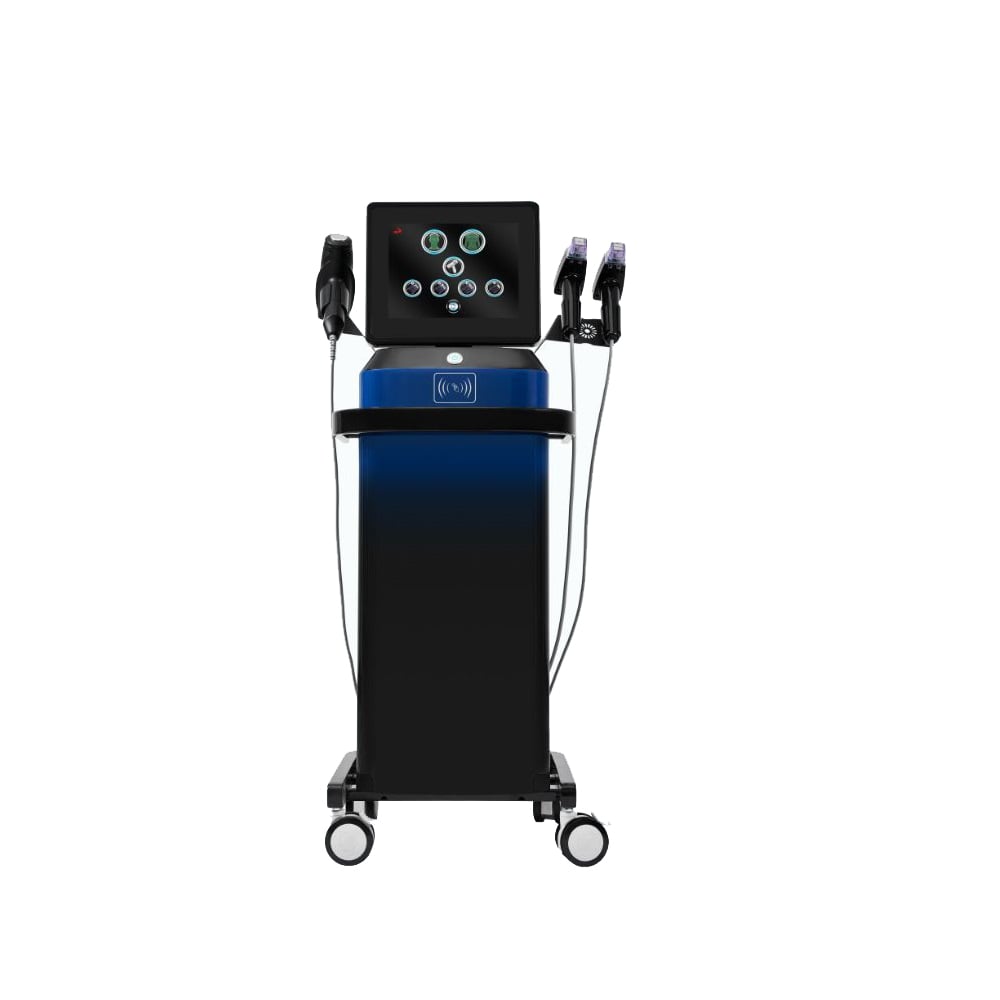
Do not compensate for erratic motion by increasing pressure or continuing over the same area. First compare the displayed speed with actual roller movement, then check the cartridge, drive, settings, and contact technique in a controlled sequence. This approach also applies when assessing an rf microneedling device, skin needling equipment, or a collagen induction device with a powered roller.
Observe the roller while it is lifted from the treatment surface, following the device instructions and using a safe test method. If movement fluctuates even without skin contact, investigate the drive or cartridge before changing technique. A microneedling machine may appear to slow when the operator changes pressure, so compare unloaded motion with a controlled contact test. Record the selected setting and the observed behavior.
If the roller moves evenly in a test but seems uneven during work, contact pressure, angle, or travel speed may be affecting the result. Check whether the operator is holding the handpiece steadily and moving it at a consistent pace. An rf microneedling device can have additional operating controls, so confirm that its roller mode and energy settings are being assessed separately rather than treated as one speed control.
Power down the unit as directed before inspecting connections or replacing a cartridge. Look for a loose attachment, visible damage, debris, or a cartridge that does not seat correctly. If skin needling equipment produces clicking, vibration, or intermittent rotation, stop using it and follow the manufacturer’s inspection procedure instead of repeatedly restarting the handpiece.
Confirm that the compatible cartridge is installed and that consumables are handled according to hygiene requirements. A worn or damaged component can create drag that changes roller motion under load. For a collagen induction device, use only the specified parts and never attempt to reshape a cartridge or lubricate a component unless the instructions explicitly permit it.
A useful fault note includes the setting, cartridge details, contact conditions, and whether the behavior repeats after a safe restart. Share those observations with qualified service support if the cause remains unclear. The linked microneedling machine product information can help teams identify the configuration they are evaluating, but it does not replace the operating or service guidance for their own unit.
Check the control panel against the intended treatment protocol and verify that the displayed value is stable after selection. Some controls require a deliberate confirmation step or a specific operating mode. If a microneedling machine starts at a different speed than expected, reset it only as instructed and test the setting before resuming work.
Separate roller speed from other adjustable functions. An rf microneedling device may present energy, depth, or pulse controls alongside motion settings; changing one does not necessarily correct another. Record each relevant setting independently so an apparent speed mismatch is not confused with a change in treatment output or feedback.
Use a consistent test sequence whenever settings are checked: select the mode, confirm the display, activate the handpiece safely, and observe motion for the same short interval. This makes comparison more useful between operators or sessions. For skin needling equipment used across different work areas, keep the approved setup and test method consistent.
Check the power supply and connections using the steps specified for the unit. An unstable connection or an unsuitable power source can interrupt operation, while a strained cable may affect handling. A collagen induction device should be used within its stated electrical and environmental requirements, not tested with improvised adapters or accessories.
Consider whether the mismatch occurs only under contact or at a particular angle. Excessive pressure can increase mechanical resistance and make rotation appear slower, so maintain the technique specified for the procedure rather than pressing harder to force movement. A microneedling machine should not be expected to overcome resistance beyond its intended operating conditions.
Temperature, repeated activation, and long operating periods can also influence how equipment behaves. Follow duty-cycle and cooling instructions, and allow the unit to rest if the guidance requires it. If an rf microneedling device shows a change after extended use, document when it begins and whether it persists after the specified pause.
Once checks point to a correctable setting or attachment issue, change only that factor and repeat the same safe test. Avoid adjusting speed, pressure, and cartridge position at once because the result will not reveal which change mattered. With skin needling equipment, a single-variable check also makes it easier to explain the correction in a service or treatment record.
Confirm that the selected speed and observed movement agree across more than one brief test, without exceeding the recommended test method. A collagen induction device that continues to fluctuate should remain out of service until assessed through the proper support channel. Do not treat a temporary return to normal motion as proof that an intermittent fault has been resolved.
If the unit behaves normally only at a lower setting, do not assume that this is an acceptable permanent workaround. Check the operating limits and intended protocol, then seek qualified advice if settings cannot be used reliably. A microneedling machine must deliver predictable operation for the selected work, not merely start and rotate.
Record the original symptom, the checks performed, any component replaced, and the result of the final test. Include the setting and whether motion was checked without load or during a controlled contact test. For an rf microneedling device, note relevant mode information separately so later reviews can distinguish a roller issue from another operating variable.
Before returning the unit to routine use, verify that required cleaning, inspection, and functional checks are complete. Tell operators what was corrected and what signs require another pause, such as recurring speed variation, unusual noise, or excess vibration. Skin needling equipment should be removed from service again if any warning sign returns.
A repeatable check at the start of work can reveal a developing mismatch earlier, but it should follow the device instructions and workplace procedures. Keep service notes with the equipment records and avoid relying on memory across shifts. A collagen induction device is ready for use only when its condition and operation meet the applicable instructions and the team’s approved process.
No. Pause use while the cause is assessed, particularly if motion remains erratic or the unit shows unusual noise or vibration. Resume only after the required checks confirm normal operation and the device guidance supports its use. An rf microneedling device also requires attention to its separate operating controls.
Only when the operating instructions describe a safe, controlled test. Compare unloaded movement with contact behavior without applying extra pressure or testing on a person solely to diagnose a fault. For a collagen induction device, use the approved test method and keep hygiene and cartridge requirements in view.
Refer it when the mismatch persists after permitted checks, returns intermittently, or involves damage, abnormal sound, or unreliable controls. Do not open or modify the unit unless qualified and authorized. If an rf microneedling device cannot maintain its specified operation, keep it out of use pending appropriate assessment.